
Knowledge collections supply chatbot answer sources. The native Docs Site and a separate WordPress help center publish articles for people to read. Publishing an article does not automatically index it for the bot.
Before you begin
Know whether you want to improve an AI answer or publish an article that a customer can read directly.
Step by step
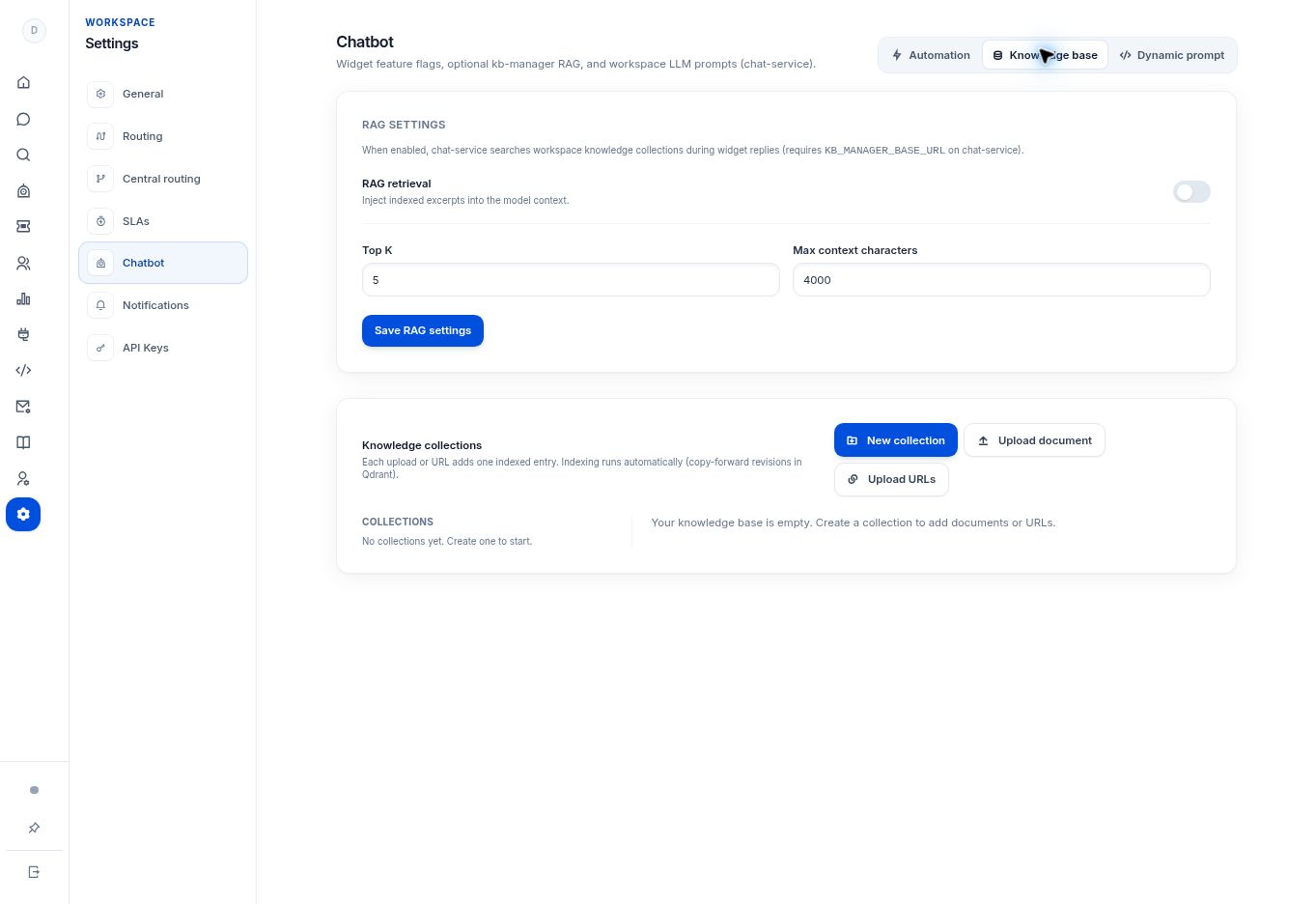
- For chatbot answer sources, open Settings → Chatbot → Knowledge base. Create collections and add documents or URLs.
- Review RAG retrieval if you want indexed excerpts included in chatbot replies. The retrieval service must be configured in your deployment.
- For customer-facing articles inside the platform, open Docs Site → Pages. Each page has a title, slug, draft/published status, and HTML content.
- For the separate WordPress help center, edit guides in that WordPress site. Publishing there does not by itself add a source to the chatbot’s knowledge collections.
What to check
Your team knows where to maintain an article and where to add or refresh an AI source. A public article is not evidence that the bot has indexed it.
Need to troubleshoot?
The article is online but the bot does not use it
Check whether it was added to a knowledge collection and whether retrieval is enabled and working.
I only want to publish a guide
Use the public documentation tool you chose; you do not need to change retrieval settings just to publish a page.