
Open the customer panel beside a conversation to review profile information and linked history. Check the source messages before relying on an AI customer summary.
Before you begin
Select a conversation in Inbox or Bot Messages. Use earlier messages as the source of truth for customer facts.
Step by step
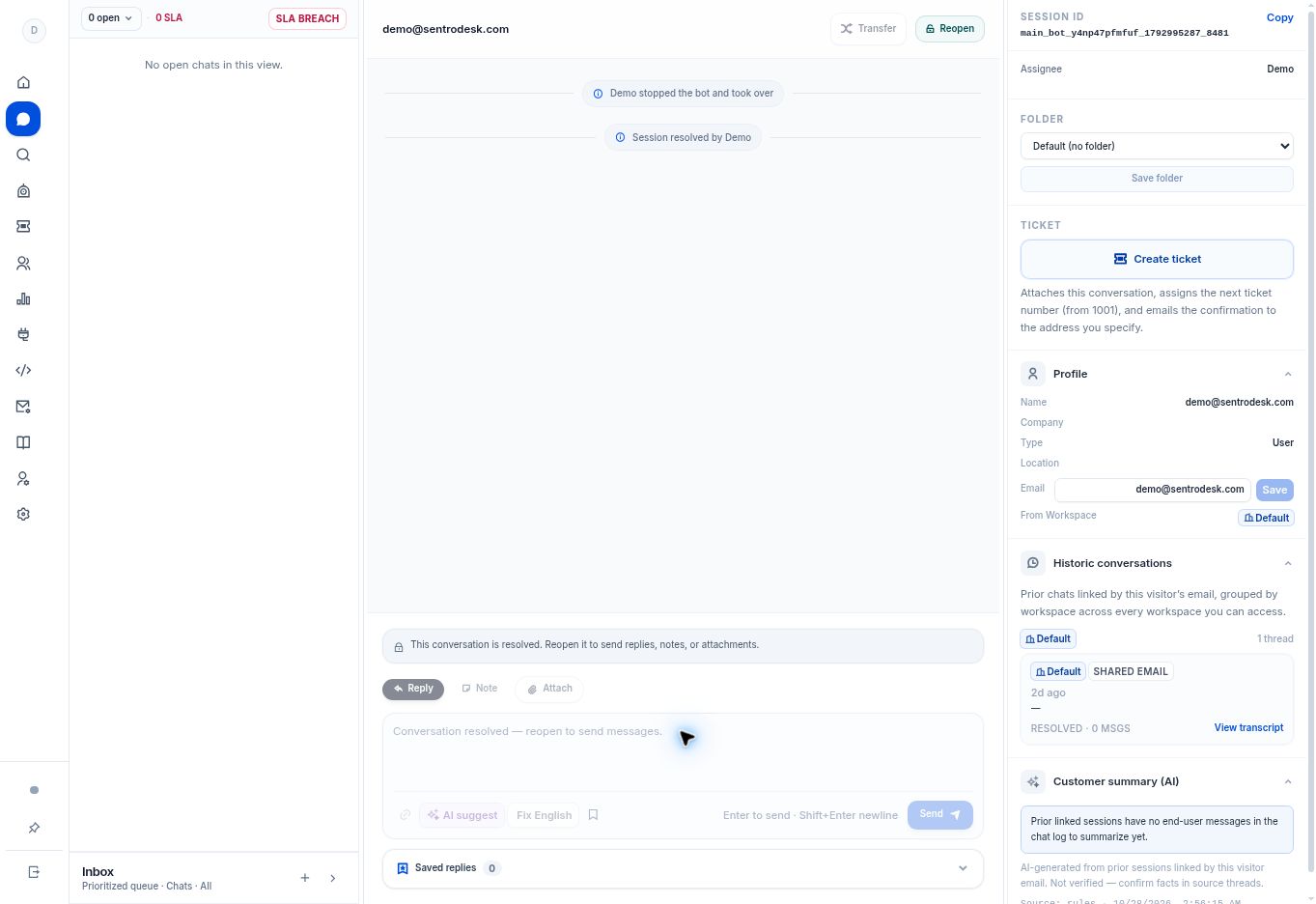
- Open Profile to review the available customer information. The panel includes an email field and a Save action for changes.
- Expand Historic conversations to see prior chats linked by the visitor’s email, grouped by accessible workspace.
- Select View transcript for the source thread you need to review.
- If a Customer summary (AI) is shown, compare important statements with the source transcripts before relying on them.
What to check
Your next reply uses the actual customer exchange and verified profile details. A summary is supporting context, not independently verified evidence.
Need to troubleshoot?
No useful AI summary appears
The app explains that earlier linked sessions need end-user messages before there is anything to summarize.
History looks incomplete
Check the visitor email and workspace access. Do not assume two different email addresses belong to the same person.