
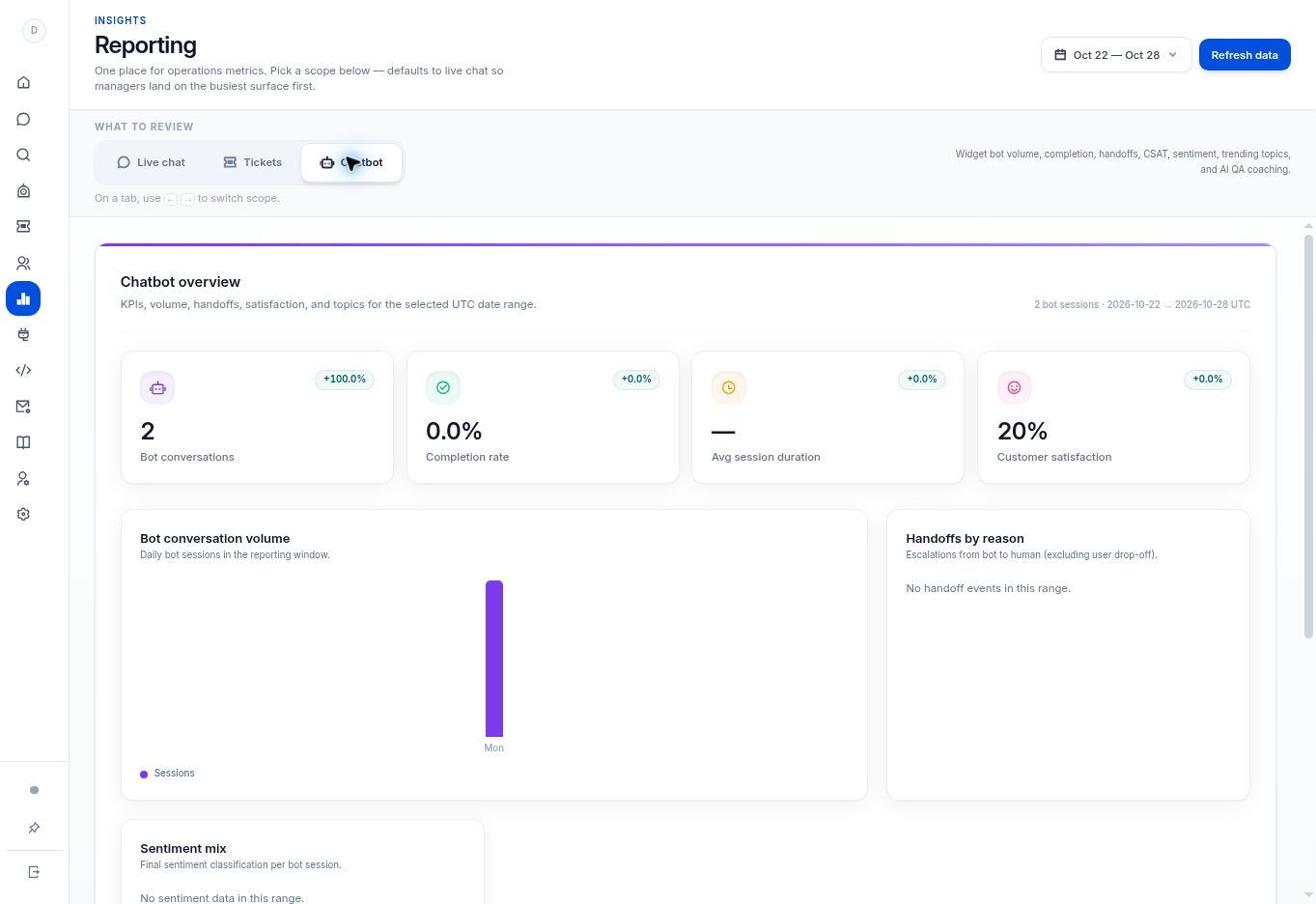
Use Analytics → Chatbot to review conversation volume, completion, handoffs, and available feedback. Sentiment Analysis is available on Growth and Enterprise.
Before you begin
Open Analytics and select a period with chatbot activity.
Step by step
- Choose Chatbot under What to review.
- Review Bot conversations, Completion rate, Avg session duration, and Customer satisfaction for the displayed period.
- Use Bot conversation volume and Handoffs by reason. The handoff caption explicitly excludes user drop-off.
- Review Sentiment mix, Thumbs feedback, and Star rating distribution when data is available. Sentiment Analysis is included in Growth and Enterprise.
- Use Word cloud and Most reported issues as leads for source-session review, not as complete explanations of a customer’s problem.
What to check
You have a prioritized list of conversations, content gaps, or handoffs to investigate. Low-volume or empty states should not be treated as representative customer outcomes.
Need to troubleshoot?
There is no feedback data
Check whether customers supplied ratings in the selected period.
An aggregate trend is unclear
Review relevant Bot Messages sessions and the source content before changing the bot.