
Knowledge retrieval adds relevant indexed excerpts to the chatbot’s context. Your deployment needs the retrieval service configured before Top K and context limits can affect answers.
Before you begin
Your deployment must provide the knowledge service. The app specifically names a chat-service configuration requirement, KB_MANAGER_BASE_URL; ask the platform operator to verify it rather than entering server settings in the browser.
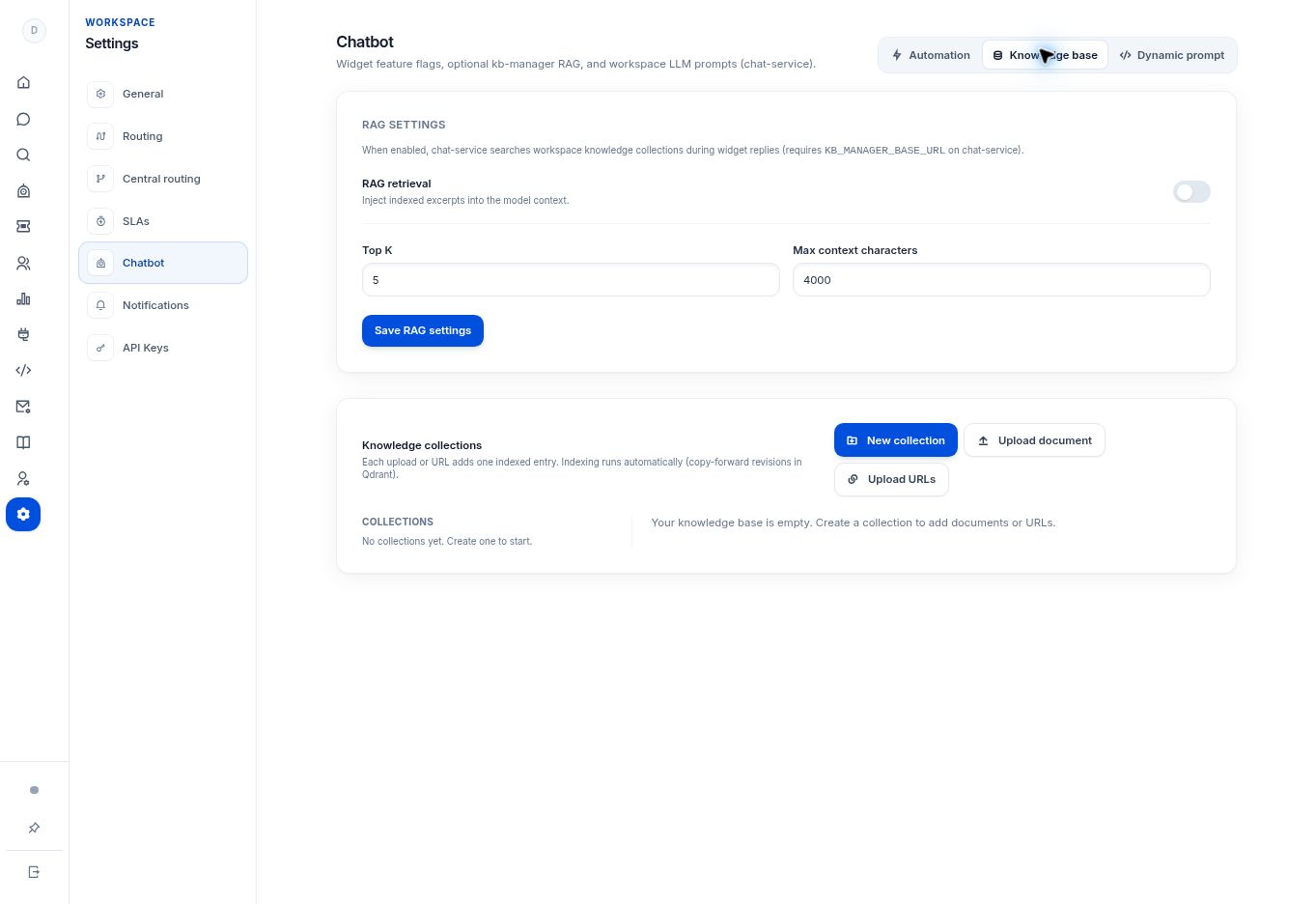
Step by step
- Open Settings → Chatbot → Knowledge base.
- Review RAG retrieval. When enabled, the chat service searches workspace knowledge collections during widget replies.
- Set Top K, the number of matching excerpts requested, and Max context characters, the allowed amount of retrieved context.
- Select Save RAG settings. Start from the values shown by your deployment rather than increasing limits blindly.
- Test questions against a known indexed source and review relevance, missing facts, and conflicting excerpts.
What to check
The chatbot uses relevant indexed material in a controlled context window. For example, a workspace may use 5 for Top K and 4000 context characters. Choose values for your content and deployment rather than treating examples as required settings.
Need to troubleshoot?
Retrieval is enabled but answers ignore sources
Check collection content, indexing, workspace identity, and the knowledge-service connection.
Replies combine conflicting policies
Clean up the source set before changing retrieval counts. More context does not fix contradictory content.