
Choose a knowledge collection and use Upload document or Upload URLs. Check your deployment’s accepted inputs and verify the indexed source with a relevant test question.
Before you begin
Create or select a knowledge collection first. Use content you have permission to process and keep private credentials out of source material.
Step by step
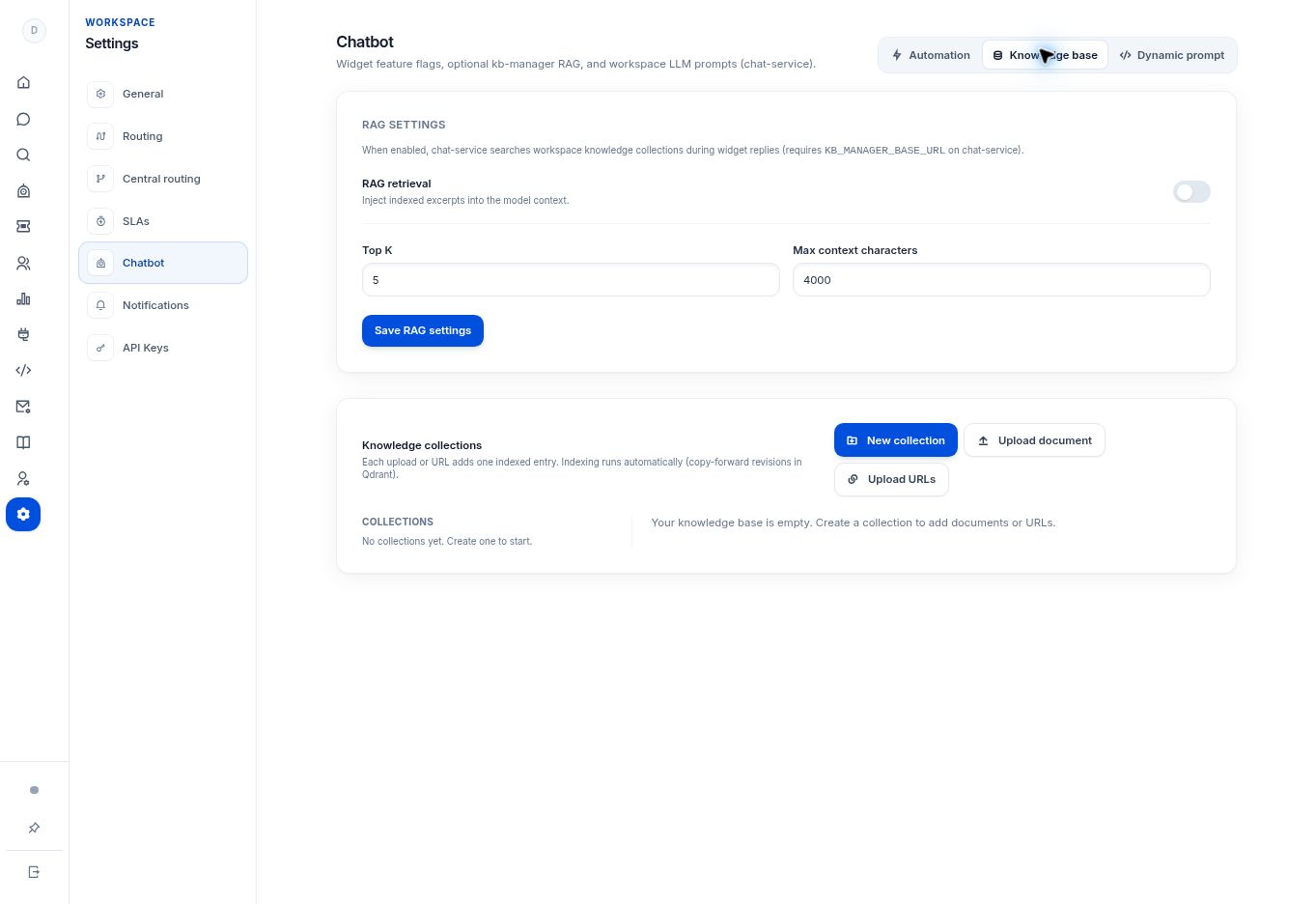
- Open Settings → Chatbot → Knowledge base and select the intended collection.
- Use Upload document for a file or Upload URLs for web sources.
- Follow the upload dialog for the selected source type. Use the file types, size limits, and URL requirements shown by your deployment.
- Review the indexed entry after the upload. The app explains that each upload or URL adds an entry and indexing runs automatically.
- Test a question whose answer is clearly stated in the source, then review the actual reply before adding more content.
What to check
Your approved source is represented by an indexed entry in the intended collection. Do not treat a successful file selection as proof that retrieval is working.
Need to troubleshoot?
A URL is not usable
Check that the knowledge service can reach the page and that the relevant text is available without an unsupported sign-in step.
The answer is outdated
Review the indexed version and your deployment’s source-update workflow. Avoid adding several contradictory copies of the same policy.