
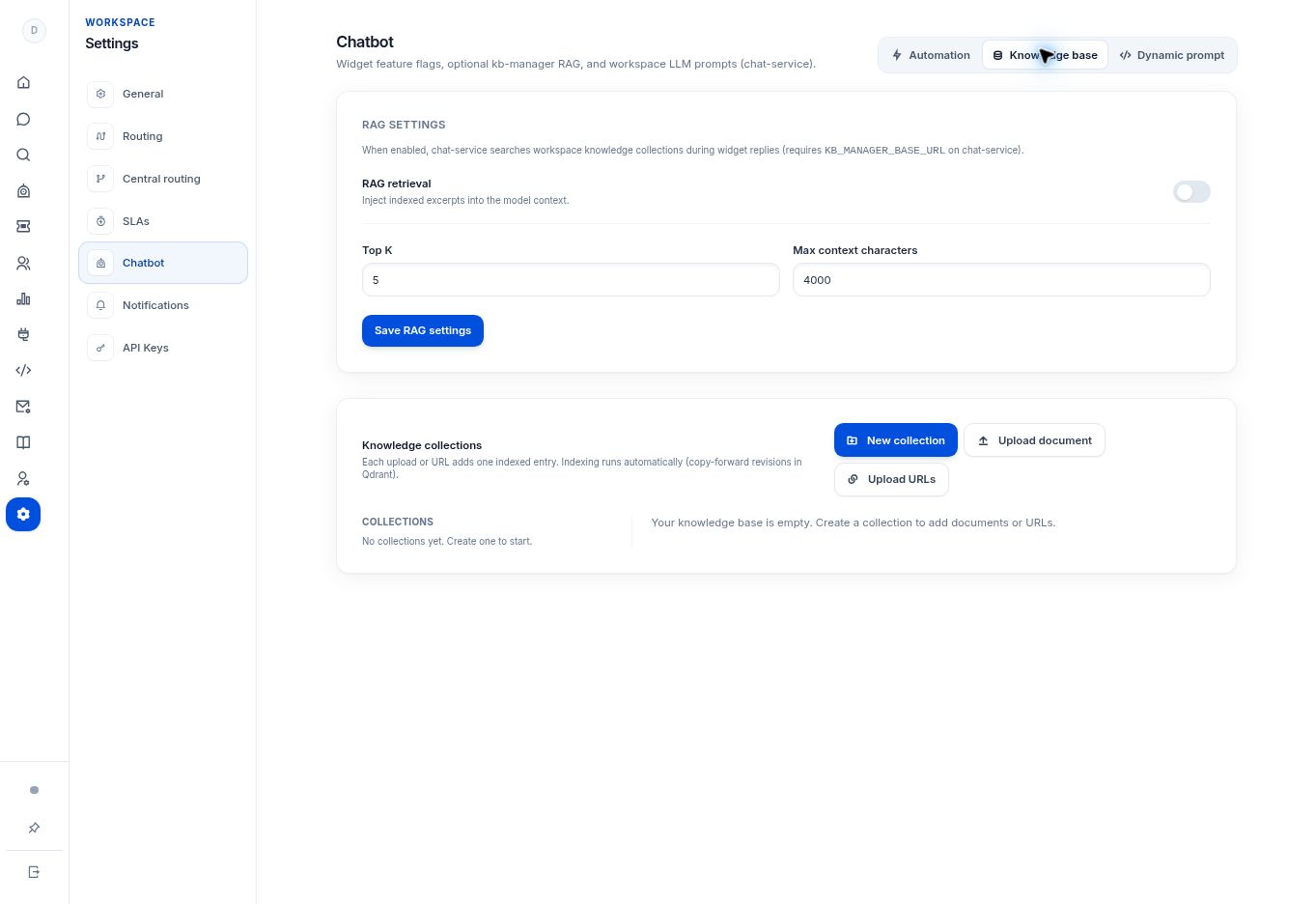
Create a collection in Settings → Chatbot → Knowledge base, give it a clear name, and group related reference sources inside it. Knowledge Base is included in Growth and Enterprise.
Before you begin
Knowledge Base is included in Growth and Enterprise. You need the relevant Settings access and a configured knowledge service.
Step by step
- Open Settings → Chatbot → Knowledge base.
- Select New collection. Enter a clear Name and, if useful, a Description.
- Choose a name based on a subject your team maintains, such as billing guidance or product setup, rather than a temporary file name.
- Select Create, then select the collection you want to work with.
- Add the appropriate documents or URLs using the upload controls. Indexing is described as automatic in the app; check the resulting source state before testing answers.
What to check
The collection appears in the workspace and has an identifiable purpose. Creating an empty collection alone does not give the bot answer content.
Need to troubleshoot?
Upload actions are unavailable
Confirm that a collection exists and is selected, and that the knowledge service is available.
The collection does not appear
Check the workspace and any error shown by the app before creating a second copy.