
Open Settings → Chatbot → Automation to review chatbot, human-agent, and ticket options. Save a supported combination, then test the customer journey it creates.
Before you begin
You need access to Settings. Only routing modes allowed by your platform operator can be saved.
Step by step
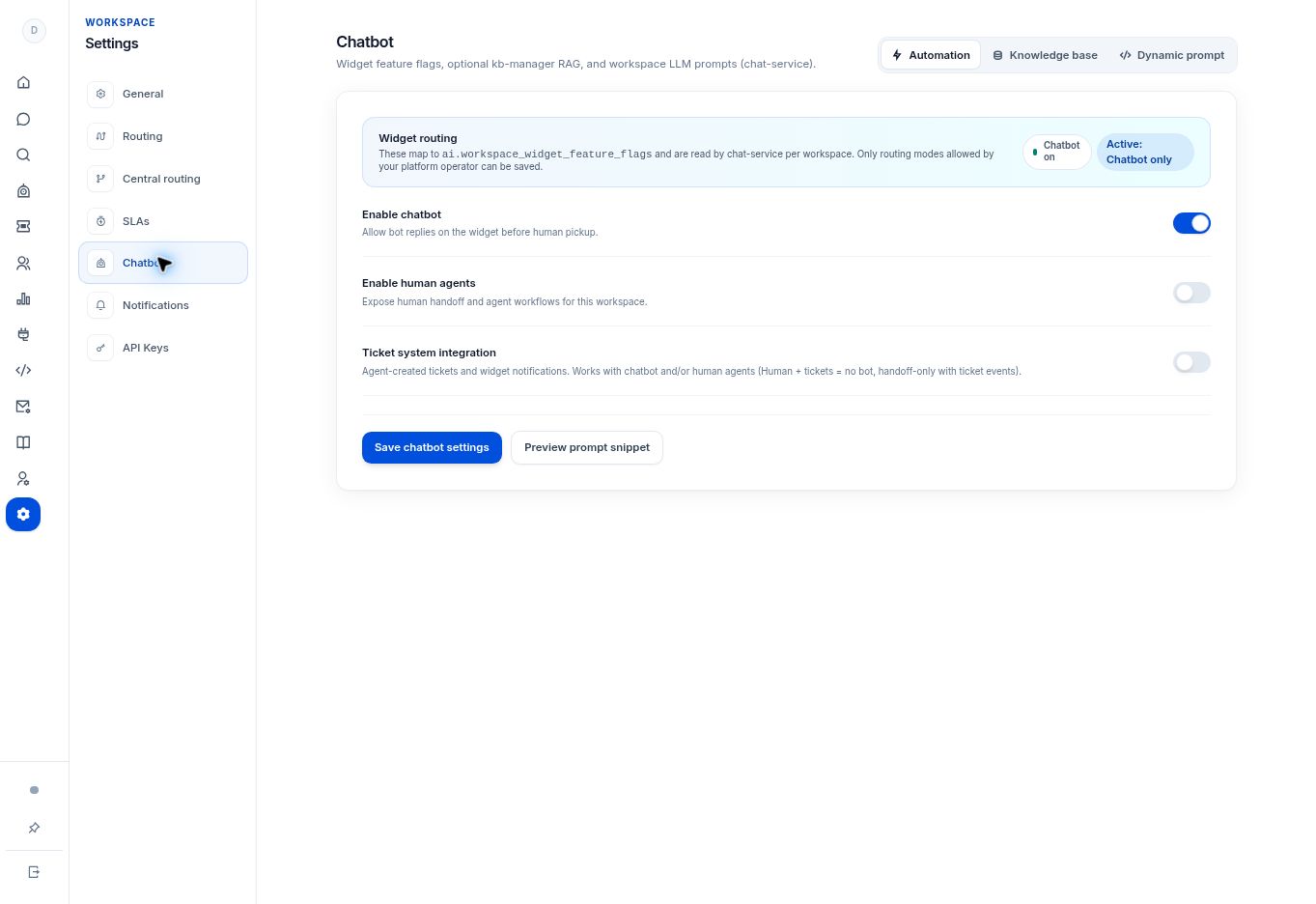
- Open Settings → Chatbot → Automation.
- Review Enable chatbot. This allows bot replies on the widget before human pickup.
- Review Enable human agents for human handoff and agent workflows.
- Review Ticket system integration for agent-created tickets and widget ticket notifications.
- Select Save chatbot settings only after choosing an allowed combination. Test the chosen customer journey through the widget.
What to check
The active mode reflects the paths your team intends to support. The UI supports combinations such as human support with tickets and no bot, subject to operator controls.
Need to troubleshoot?
A mode will not save
Ask the platform operator which combinations are allowed for this workspace.
Human handoff is unavailable
Check the human-agent option, agent presence, and routing capacity as well as the customer’s conversation state.